Browser mockup generator
To make a browser mockup, capture your web page, upload the image and keep the browser window frame. Next, pick the Light or Dark toolbar, a background and a shadow. The window holds a 1440 x 900 page, a common laptop viewport, so a capture at that size fits exactly.
By The Bezelyard team (Product and testing). Last updated .
How to make a browser mockup, step by step
- Capture your page at 1440 x 900, or at 2880 x 1800 on a Retina screen.
- Drop the image onto the tool, or click Choose screenshot.
- Pick the Light or Dark browser frame.
- Choose a background, a shadow and, if you like, a gentle angle.
- Export as PNG for docs or WebP for your website.
The live preview is always free, and you get 3 free HD exports a day with a small mark. See the pricing page for clean 4K exports, or read how we test every frame.
A clean window frame without the clutter
A raw capture of a web page often includes your tabs, bookmarks and extensions. So we drew a simple browser window instead: rounded corners, three window dots and a plain toolbar with an address bar. Your page sits under it at 1440 x 900 pixels, which is a common viewport on 13 and 14 inch laptops.
Because the frame has no brand logo, it reads as a generic browser. Also, the Light frame suits bright marketing pages, while the Dark one fits dev tools, code editors and dark mode apps. In both cases the window looks the same on Windows and Mac readers' screens.
Browser mockups for docs, changelogs and landing pages
Product docs and changelogs show a lot of screenshots. When each one sits in the same window with the same soft shadow, the page looks tidy, and readers can tell a screenshot from the page around it. For example, we framed the release notes for our own demo dashboard with the Dark window on a paper background.
A landing page hero is another good fit. First, capture the key screen of your SaaS app. Then frame it, add a soft gradient and export a WebP, which keeps the file small. In addition, the same image works in a pitch deck or a Product Hunt gallery when you switch the canvas to Wide 16:9.
Getting a sharp browser screenshot
The tool does not load a URL for you. Instead, you upload your own capture, so pages behind a login or on a local server work too. On a Retina Mac, a 1440 x 900 window captures at 2880 x 1800, and the tool scales that down cleanly to fill the frame.
For a long page, crop the part that matters before you upload. Otherwise the cover fit keeps the top of the image and trims the rest. If you want the whole capture visible, pick Contain, and the page sits inside the window with a thin fill around it.
Free and paid exports
The live preview is free with no limit. Also, three HD exports a day are free at 1600 pixels, with a small corner mark. For a docs page, that size is often all you need.
For a crisp hero, however, a credit buys a clean 2K or 4K export without the mark. A pack of 25 credits costs $6.99, and credits never expire. A failed export never uses a credit, and we drop your screenshot from memory right after the render.
Browser mockup frame specs
| Item | Value |
|---|---|
| Page area | 1440 x 900 px |
| Retina capture that fits | 2880 x 1800 px |
| Frame styles | Light, Dark |
| Backgrounds | Solid, linear, radial, mesh, transparent |
| Export sizes | 1600 px free, 2560 or 3840 px with a credit |
| Formats | PNG, WebP, JPG |
Browser mockup tested with a real screenshot
We rendered this image with the same code the tool on this page uses, from a demo app screenshot we drew ourselves. So the picture and the numbers below come from that run, not from a stock photo.
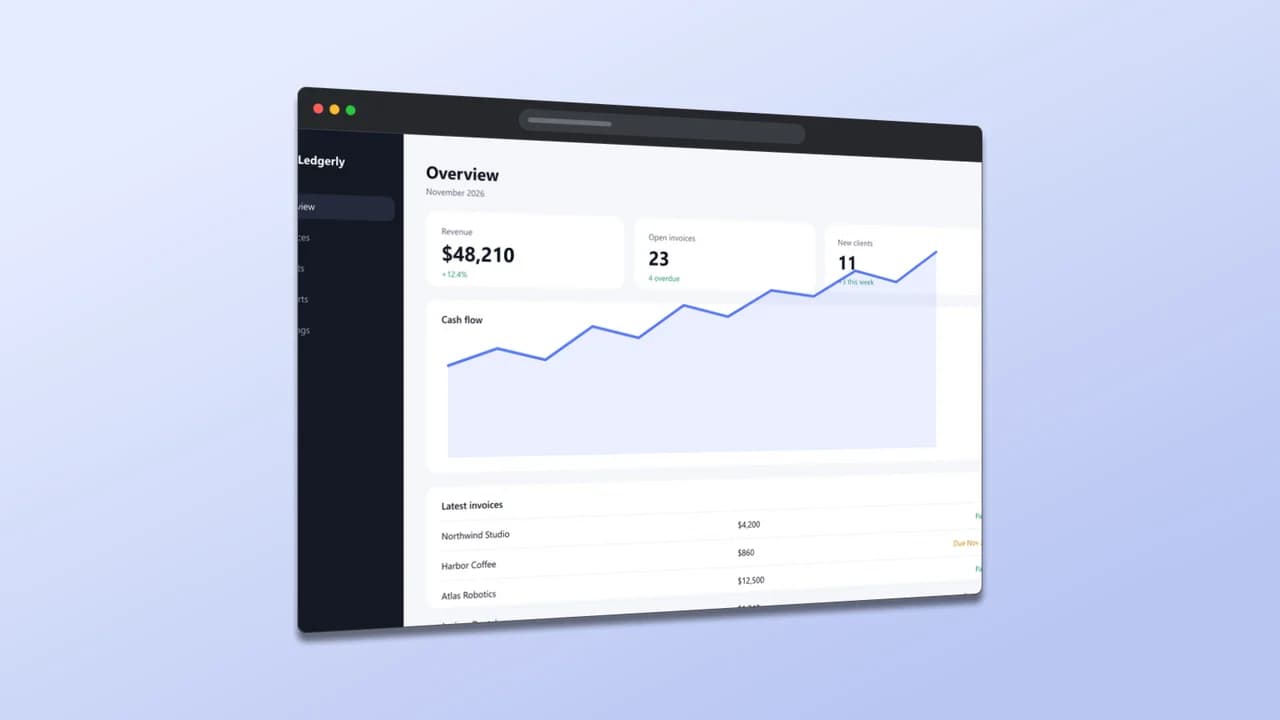
- Test input
- desktop-1080p.png (1920 x 1080 px, our own demo app)
- Output
- Browser window mockup, 1600 x 900 px PNG
- Device
- Browser window
- Export size
- 1600 x 900 px
- Angle
- -24° turn, 0° lean
- Background
- linear
- File size
- 331 KB
- Render time
- 151 ms
How we check exports: a script renders every device, compares the screen area with the published resolution, and we look at each frame at full size. More on the about page.
Browser mockup FAQ
Is this browser mockup free?
Yes. The preview is free with no limit, and three HD exports a day are free. Clean 2K and 4K exports cost one credit each.
Can the tool take the screenshot from a URL?
No. You capture the page yourself and upload the image. That way pages behind a login or on localhost work just as well.
Which browser does the frame look like?
None in particular. It is a neutral window with three dots and an address bar, so it fits any browser your users have.
What format should I use for a website?
WebP keeps the file small for web pages. PNG is better for docs and slides, and it also supports a transparent background.
Can I add a 3D angle to the browser window?
Yes. Every angle preset works, from a slight lean to the Hero angle. For docs, though, a flat window is easier to read.