iPhone mockup PNG with a transparent background
To get an iPhone mockup PNG with no background, drop your screenshot into the tool and pick the Transparent background. Then choose a phone, a color and an angle, and export as PNG. The file keeps a full alpha channel, so the phone and its soft shadow sit cleanly on any color, slide or web page.
By The Bezelyard team (Product and testing). Last updated .
How to export a transparent iPhone mockup PNG, step by step
- Drop a screenshot onto the tool, such as a 1206 x 2622 capture from an iPhone 17 Pro.
- Click Transparent in the background row.
- Pick a frame color and an angle, for example Silver at Turn right.
- Keep the Soft shadow for a natural edge, or choose None for a hard cut.
- Leave the format on PNG, or switch to WebP, and press Export mockup.
The live preview is always free, and you get 3 free HD exports a day with a small mark. See the pricing page for clean 4K exports, or read how we test every frame.
What a transparent iPhone mockup PNG contains
A PNG stores an alpha channel, which gives every pixel its own level of transparency. The W3C PNG specification defines it, and every browser and design app reads it. So when you choose Transparent, the canvas around the phone has zero opacity, while the frame and the screen stay fully solid.
The shadow is where alpha really helps. Instead of a gray blob on white, it fades from partly dark to fully clear. As a result, the same file looks right on a white landing page, a navy slide or a photo. Also, there is no white fringe to clean up, because the tool never blends the edge with a background color.
PNG, WebP or JPG: which format to export
PNG is the default, and it is lossless, so the text on your screenshot stays sharp. It is also the safest choice for Figma, Keynote, Canva and Google Slides. The tradeoff is file size. A 4K PNG is much heavier than the same image as WebP.
WebP supports transparency too, and it makes smaller files at a similar quality, which helps page speed on a landing page. JPG, on the other hand, has no alpha channel. That is why the tool hides JPG when the background is Transparent. Use JPG only for a solid or gradient scene, for example an email banner or a social post.
Where a transparent phone file works best
A cut out phone gives you layout freedom. For example, you can drop it over a hero gradient on your site, overlap it with a headline in a pitch deck, or stack two phones in a Dribbble shot. Because the file has no box around it, nothing clips the shadow or the band. In short, a transparent iPhone mockup PNG is the most flexible file you can export.
It also saves time when brand colors change. Instead of exporting a new mockup for every background, you keep one PNG and change the page behind it. Then a single 2K export covers the website, the deck and the press kit. Free HD exports work too, but they carry a small mark in one corner.
iPhone mockup PNG export options
| Item | Value |
|---|---|
| Formats with transparency | PNG, WebP |
| Formats with a background | PNG, WebP, JPG |
| Alpha channel | Full, including the shadow |
| Free export size | 1600 px on the long side, small corner mark |
| Credit export sizes | 2560 px (2K) or 3840 px (4K), no mark |
| Shadow styles | None, Soft, Floating, Crisp |
IPhone mockup PNG tested with a real screenshot
We rendered this image with the same code the tool on this page uses, from a demo app screenshot we drew ourselves. So the picture and the numbers below come from that run, not from a stock photo.
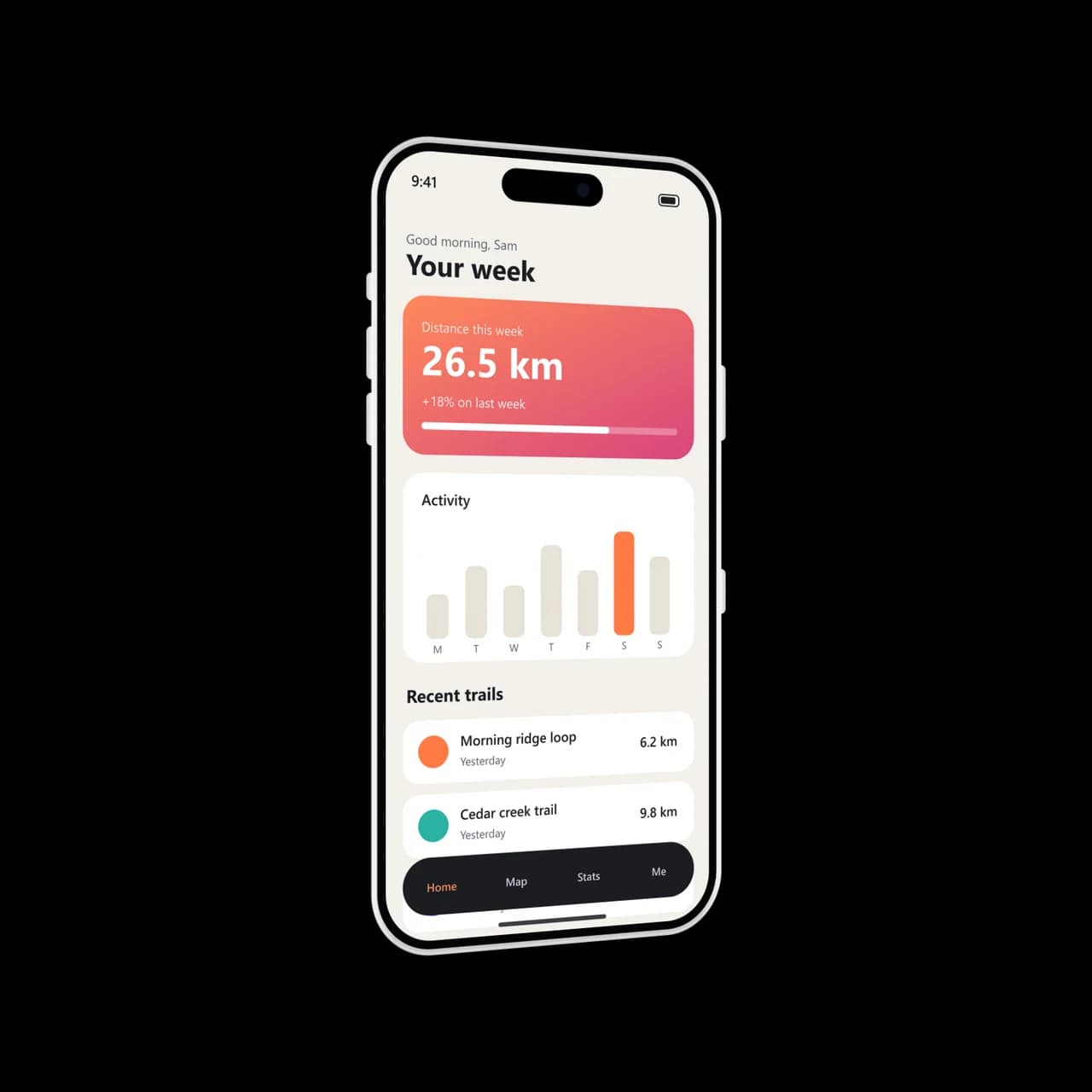
- Test input
- phone-app.png (1206 x 2622 px, our own demo app)
- Output
- iPhone 17 Pro mockup, 1600 x 1600 px PNG
- Device
- iPhone 17 Pro
- Export size
- 1600 x 1600 px
- Angle
- -24° turn, 0° lean
- Background
- Transparent
- File size
- 463 KB
- Render time
- 204 ms
How we check exports: a script renders every device, compares the screen area with the published resolution, and we look at each frame at full size. More on the about page.
IPhone mockup PNG FAQ
How do I get an iPhone mockup PNG without a background?
Pick Transparent in the background row, keep the format on PNG and export. The area around the phone stays fully clear.
Does the shadow stay transparent too?
Yes. The shadow uses partial alpha, so it darkens whatever sits behind it. Choose None if your layout needs a hard edge.
Why can't I pick JPG with a transparent background?
JPG has no alpha channel, so it can't store clear pixels. The tool offers PNG or WebP in that case.
Is a WebP smaller than a PNG?
Usually, yes. WebP keeps transparency and makes a lighter file, which loads faster on a website. PNG is still the safer pick for older design tools.
What size is the free PNG?
Free exports are 1600 pixels on the long side, with a small mark in a corner. A credit gives you 2560 or 3840 pixels with no mark.